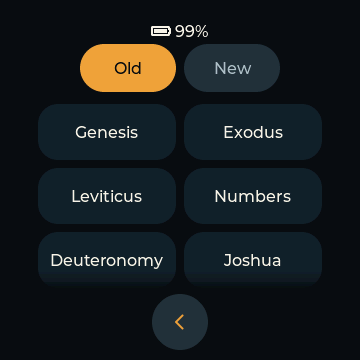
BIBLE
Browse the Bible
Browse all 73 books and choose a chapter. Switch between the languages and recordings on your card.
OFFLINE AUDIO BIBLE
Listen to the Bible, follow Bible in a Year (BIY) and play your own prayers, music and talks. No phone or internet needed.
שְׁמַע is Hebrew for “Hear”.
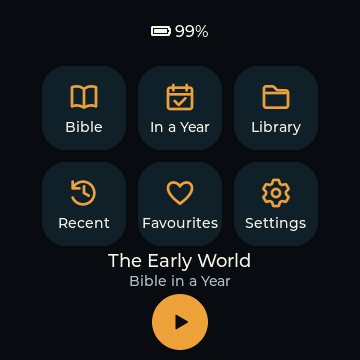
LISTENING OPTIONS
Choose a Bible chapter, follow a daily reading plan or browse your own audio folders.
BIBLE
Browse all 73 books and choose a chapter. Switch between the languages and recordings on your card.
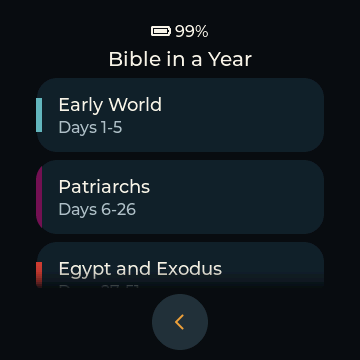
DAILY LISTENING
BIY means Bible in a Year, a 365-day Bible listening plan. Episodes are grouped by period, with separate introductions and checkpoints.
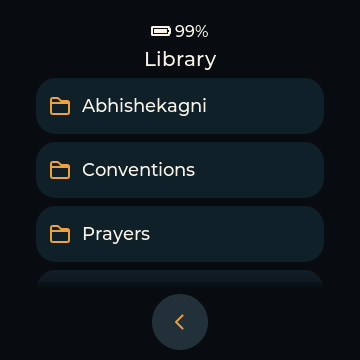
LIBRARY
Organise songs, prayers and talks in folders. Browse subfolders, jump by letter or shuffle the tracks in a folder.
The tour shows Home, Bible books and chapters, Bible in a Year, Library folders, favourites, playback and sleep timer, recent listening and settings. Select a demo section to play it. The video has no audio.
Unable to play here. Open the video directly.
EXPLORE THE DEVICE
Choose a feature to see it on the device. Browse Bible chapters, open your audio library and return to a favourite chapter.
Play, pause, adjust the volume or set a sleep timer. The progress ring shows how much of the current recording has played.
A CLOSER LOOK
Browse books and chapters, manage favourites and adjust settings on the round touchscreen.
Open Bible, Bible in a Year, Library, Recent, Favourites or Settings.
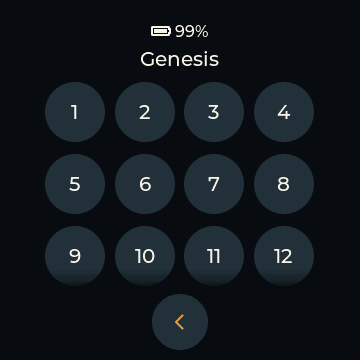
A clear chapter grid with markers for what you have played.
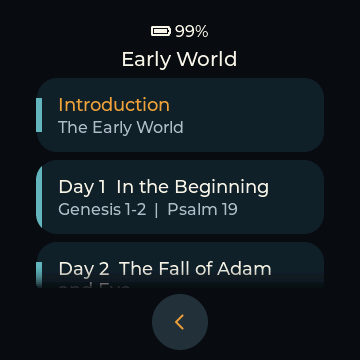
Daily episodes, organised into periods of the biblical story.
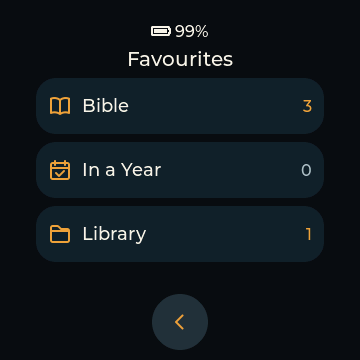
Separate favourites for Bible chapters, daily episodes and Library tracks.
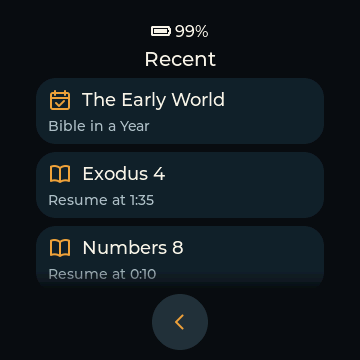
Return to recent listening and resume where you left off.
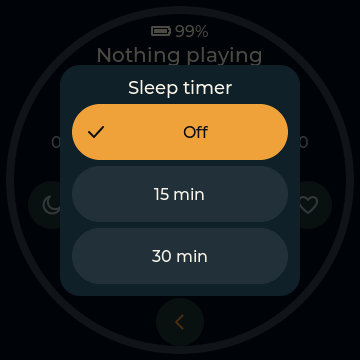
Set a sleep timer from 15 minutes to two hours.
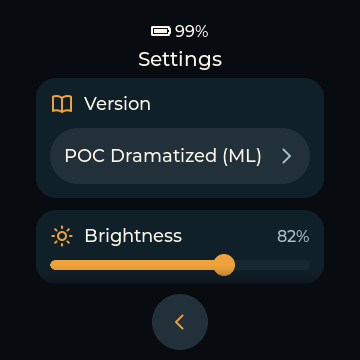
Choose your Bible recording and adjust display brightness.
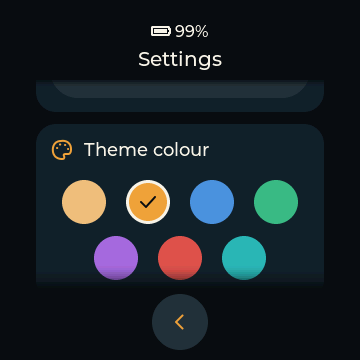
Choose an accent colour, with screen timeout and power-off settings too.
Resume the last track at the saved position. Recent listening and played markers show what you have listened to.
Larger touch areas and improved folder navigation help when browsing a large library.
A filled heart shows a saved track. A filled moon shows an active sleep timer.
Keep Bible recordings in multiple languages on one microSD card. Choose the language and recording you want to hear from Settings.
OFFLINE
Shema plays MP3 files from your microSD card. Listening does not need an account, internet connection or subscription.
Add Bible recordings in your preferred languages and keep songs, prayers and talks in the Library. The device charges over USB-C.
Free, open-source firmwareGET STARTED
Choose the assembled hardware, add your audio and install the firmware from your computer.
Use the Waveshare ESP32-S3-Touch-LCD-1.85C (V2). The BOX + battery option (SKU 30684) includes the round touchscreen, speaker enclosure and battery.
View the deviceCheck the selected package and current price with the seller. Hardware details
Format the microSD card as FAT32. Back up any files first because formatting erases the card. Then copy your MP3s into the folders shown below.
See the folder layoutAudio recordings and the microSD card are supplied separately.
Connect with a USB-C data cable. Open the web installer in Chrome or Edge on a computer, choose the device and follow the installation steps.
Open the installerSetting up several for family or a parish? Repeat the same steps for each player.
YOUR MICROSD CARD
The microSD card must use FAT32. Use the folder names shown here at the root of the card. The language and Bible version folders can reflect your own collection.
Recordings are not bundled. Add audio you have permission to use.
BIBLE/
  English/
    MyRecording/
      01_01.mp3
      01_02.mp3

BIY/
  English/
    Day 001 - In the Beginning.mp3
    Intro 01 - Introduction.mp3

LIBRARY/
  Prayers/
    Morning Prayer.mp3
  Songs/
Talks/For Bible chapters, use book_chapter.mp3: 01_01.mp3 is Genesis 1. Keep numbering consistent across the recording. Book numbers run from 1 to 73 in Catholic Bible order.
Bible in a Year (BIY) files use Day NNN - Title.mp3 for days 001 to 365 and Intro NN - Title.mp3 for introductions. Keep the spaces and three-digit day numbers. Library tracks can keep their descriptive filenames.
SHEMA
Deuteronomy 6:4
Shema takes its name from the Hebrew word for “hear”.