DEVICE SETUP
Install Shema.
Prepare your audio card and install the firmware from your browser.
Before you start
- Waveshare ESP32-S3-Touch-LCD-1.85C V2
- A computer with Chrome or Edge
- A USB-C data cable
- A microSD card and your MP3 audio files
Connect your device
Plug it into your computer with a USB-C data cable.
INSTALLATION GUIDE
Step by step
-
Prepare the microSD card
Back up any files you need, then format the card as FAT32. Formatting erases everything on the card. Copy your MP3s into the BIBLE, BIY (Bible in a Year) and LIBRARY folders using the layout in the audio setup guide.
Folder layout and file names -
Open the installer on a computer
Use Chrome or Edge on Windows, macOS, Linux or a Chromebook. Connect the device with a USB-C data cable. A charge-only cable will not work.
-
Connect to the device
Click Connect & Install and select the device’s serial port from the browser prompt. If no port appears, follow the download mode instructions below.
-
Install the firmware
Choose Install and follow the prompts. Keep the device connected until the installer reports that it has finished.
-
Insert the card and start listening
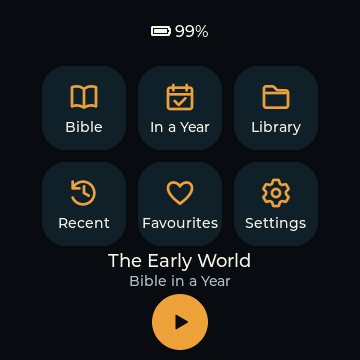
Turn the device off before inserting the prepared microSD card, then turn it on again. Choose your Bible recording in Settings, open Bible, pick a book and chapter, and press play.
IF THE DEVICE IS NOT DETECTED
Enter download mode
- Keep the USB-C cable connected.
- Hold the BOOT button.
- While holding BOOT, press and release RESET.
- Release BOOT, then click Connect & Install again.
HELP
Troubleshooting
Device is missing from the port list
Use a USB-C data cable, try another USB port, or enter download mode using the steps below.
Browser does not support the installer
Use Chrome or Edge on a computer. Safari, Firefox and phone browsers cannot use this installer.
Installation stops partway through
Check the cable connection, try a different USB port and retry. Enter download mode if the device no longer appears.
Screen is blank after installation
Tap RESET once. Check that you have the supported Waveshare ESP32-S3-Touch-LCD-1.85C V2 hardware.
Audio or folders do not appear
Check that the card is formatted as FAT32 and that the folder names and MP3 filenames match the audio setup guide. Turn the device off and on after changing the card contents.